§ Fox 3.0 Router 入门
§ 起步
Fox Router提供了页面局部刷新的能力,可以动态的把vue component嵌入指定的router view范围内进行渲染,是SPA应用的基础。通过Fox Router + Vue的组合,能够快速构建SPA(单页面)应用。
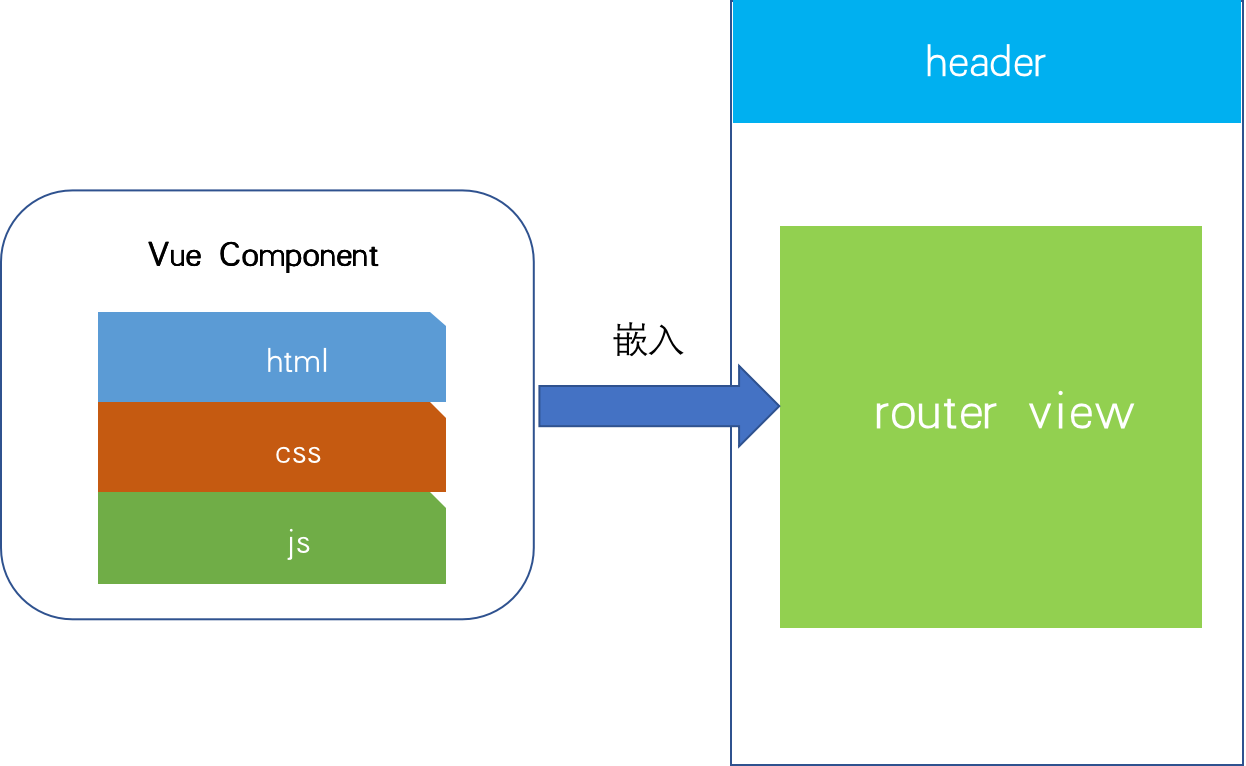
我们需要做的是,将组件 (components) 映射到路由 (routes),然后告诉 Fox Router 在哪里渲染它们。下面是个基本例子
例子代码:sites/example/pages/link-navigate-to/index.vue 例子说明:index.ts进行路由注册,在index.vue中通过fox-link和fox-router-view进来了一个简单的路由导航演示 index.ts(路由表注册)
import { defineComponent, h} from 'vue'

//创建组件dog
const Dog = defineComponent({
    setup(){
        return ()=>{
           return h('div',{}, ['this is a dog'])
        }
    }
 })

//创建组件car
const Car = defineComponent({
    setup(){
        return ()=>{
           return h('div',{}, ['this is a car'])
        }
    }
 })


 //路由表
let routes = [
    {
        path:'/',
        redirect:'/dog'
    },
    {
        path:'/dog',
        component:Dog,
    },
    {
        path:'/car',
        component:Car,
    }
]

//Fox App
export let FoxApp = {

    /***
     * 安装
     */
    install(fox:any){
        //加入路由
        fox.router.addRoutes(routes)
    }
}
1
2
3
4
5
6
7
8
9
10
11
12
13
14
15
16
17
18
19
20
21
22
23
24
25
26
27
28
29
30
31
32
33
34
35
36
37
38
39
40
41
42
43
44
45
46
47
48
2
3
4
5
6
7
8
9
10
11
12
13
14
15
16
17
18
19
20
21
22
23
24
25
26
27
28
29
30
31
32
33
34
35
36
37
38
39
40
41
42
43
44
45
46
47
48
index.vue(路由演示)
<template>
    <div class="link-items">
        <fox-router-link class="my-link" active-class="fox-router-link-active" tag='a' to='/dog'>go home</fox-router-link>
        <fox-router-link class="my-link" active-class="fox-router-link-active" tag='a' to='/car'>go about</fox-router-link>
    </div>
    <div class="my-router-view-div">
        <fox-router-view></fox-router-view>
    </div>
</template>
<script lang="ts">
import { defineComponent } from 'vue'
import { useFox } from '../../assets/libs/fox-v3.0.0/index'
import { FoxApp } from './index'

export default defineComponent({
    setup() {
        //获取 fox
        let fox = useFox()!
        //安装fox app
        FoxApp.install(fox)
    },
})
</script>

<style scoped>

    .link-items{
        padding: 10px;
        display: -webkit-flex; /* Safari */
        display: flex;
        flex-flow: row wrap;
        justify-content: flex-start;
        align-items:center;
    }

   .fox-router-link-active{
       color:red
   }
</style>
1
2
3
4
5
6
7
8
9
10
11
12
13
14
15
16
17
18
19
20
21
22
23
24
25
26
27
28
29
30
31
32
33
34
35
36
37
38
39
2
3
4
5
6
7
8
9
10
11
12
13
14
15
16
17
18
19
20
21
22
23
24
25
26
27
28
29
30
31
32
33
34
35
36
37
38
39